
It is easy to sign up to receive you rate notice via email.
Why sign up to EzyBill?
- Receiving your rates notices by email is more sustainable and financially cost effective than by post.
- You can receive your rates notices wherever you are, anywhere in the world.
- Get your rate notice via email and you can still arrange for payments via Payble - a faster, flexible way to pay rates.
- You can access copies of any rate notices you receive via email.
Help to sign up to EzyBill
Step 1
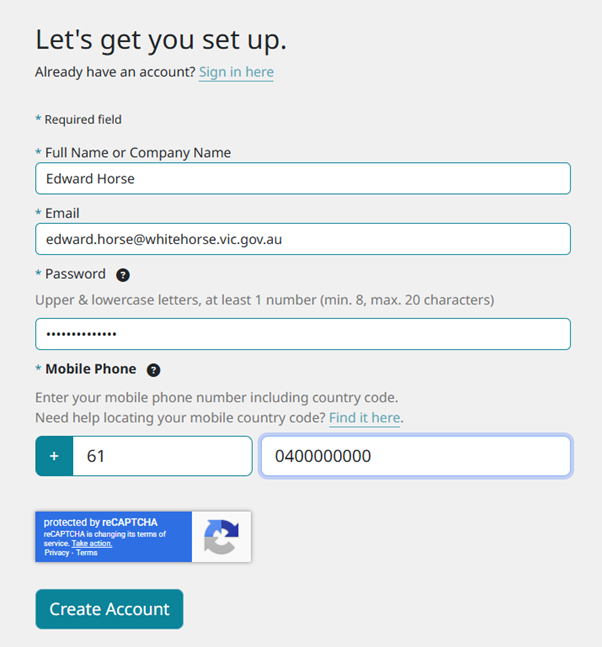
- Log in to EzyBill sign up and complete the following information:
- Your full name (exactly how it appears on your rate notice)
- Your email
- A password (upper and lower case letters, at least 1 number, minimum 8 characters and maximum 20 characters)
- Your mobile number
- Click 'Create Account'
- Complete the reCAPTCHA questions.
Step 2
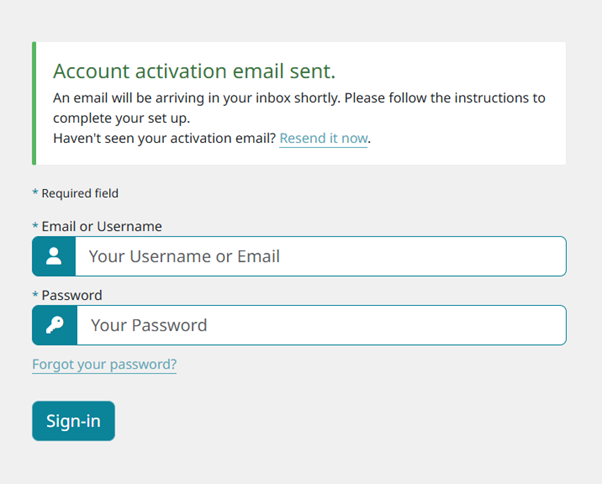
- Check your email and find the email from no-reply@ezybill.com.au
- Check your spam/junk folder if you can't find the email
- Click 'Activate your account'
Step 3
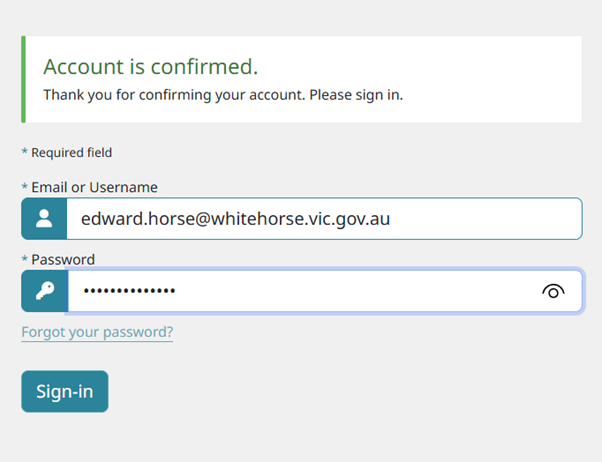
- Sign in to EzyBill
- Enter your email address
- Enter your password
- Click Sign-in
Step 4
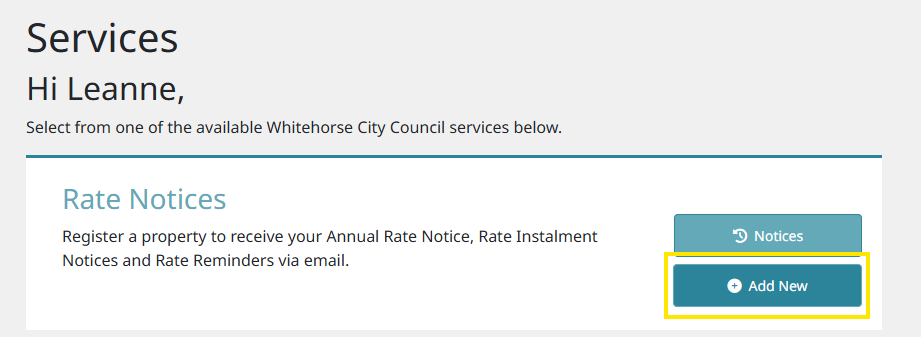
- Select 'Add New'
Step 5
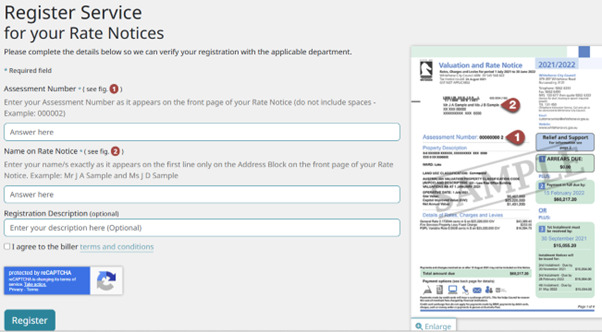
- Add your Assessment Number
- Add your name (exactly as it appears on your rate notice)
- Click on 'I agree to the biller terms and conditions'
- Click register
Sign up complete
Your sign up is now complete.